AI tutoring for grades K–12
The AI tutor that refuses to do your kid's homework.
Five Owls doesn't hand over answers. It asks the right questions until your child figures it out themselves, from counting to calculus. They'll call it annoying. You'll call it learning.
7 days free. Cancel anytime. Your kid's grades may never forgive you for how good they get.
Guides, never gives away answers·Math, reading & writing
About
Mission
At FiveOwls, we're dedicated to making quality education accessible to every learner, wherever they are. Explore a diverse array of subjects, including mathematics, science, history, English, economics, and beyond. With our personalized learning dashboard, you'll monitor your progress seamlessly, always aware of your achievements and areas for growth.
Mobile Accessibility: Take your learning wherever you roam with our mobile app, ensuring uninterrupted access to educational resources at FiveOwls.
In the app
Five screens, one study loop.
Learning Tools, Study Hub, Learning Intelligence, Visual Lab, and Writing Assistant. Each block below is a screen from the app.
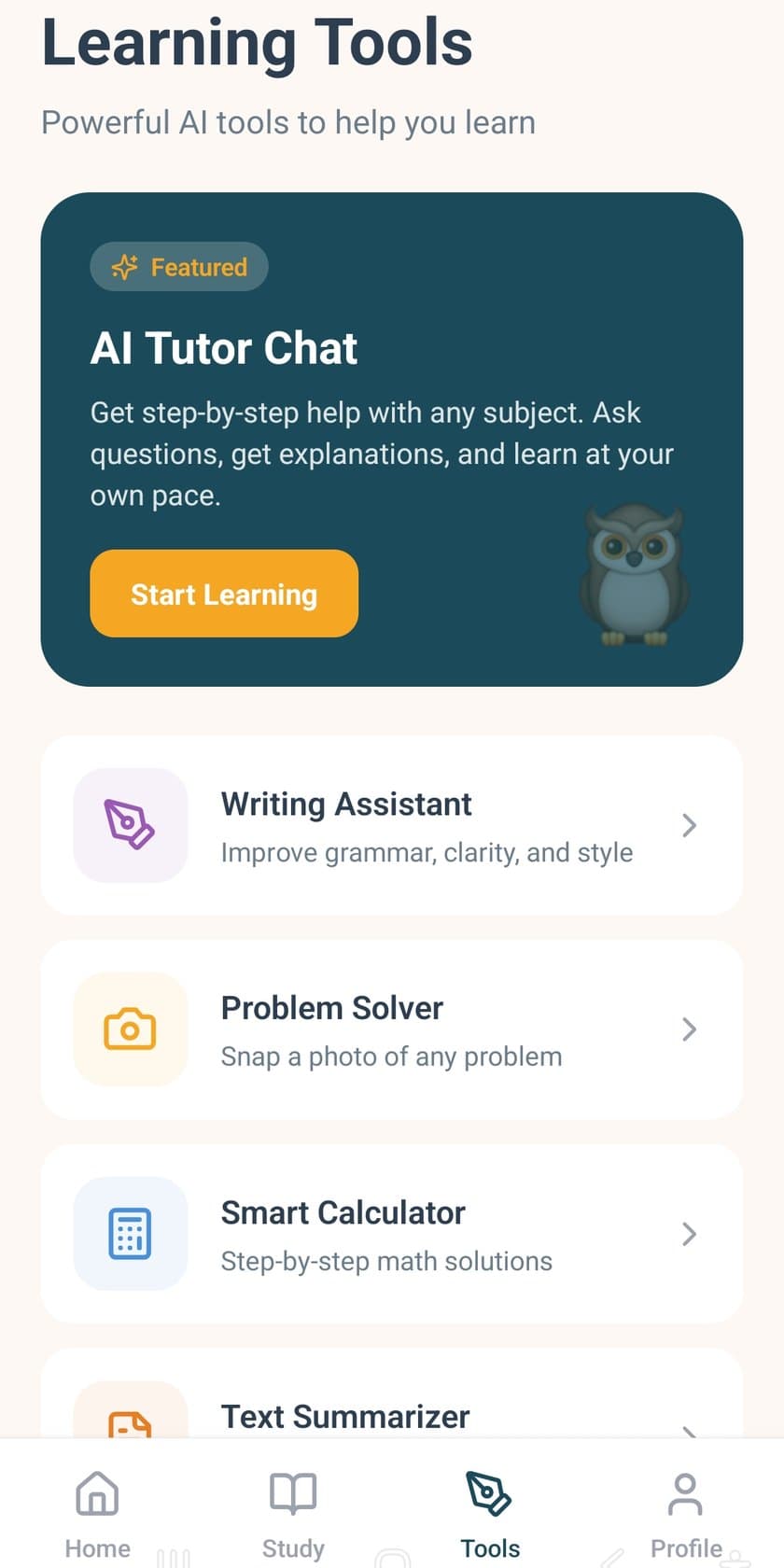
Learning Tools
Ask, solve, and write in one place.
AI Tutor Chat
Get step-by-step help with any subject. Ask questions, get explanations, and learn at your own pace.
Writing Assistant
Improve grammar, clarity, and style.
Problem Solver
Snap a photo of any problem.
Smart Calculator
Step-by-step math solutions.
Text Summarizer
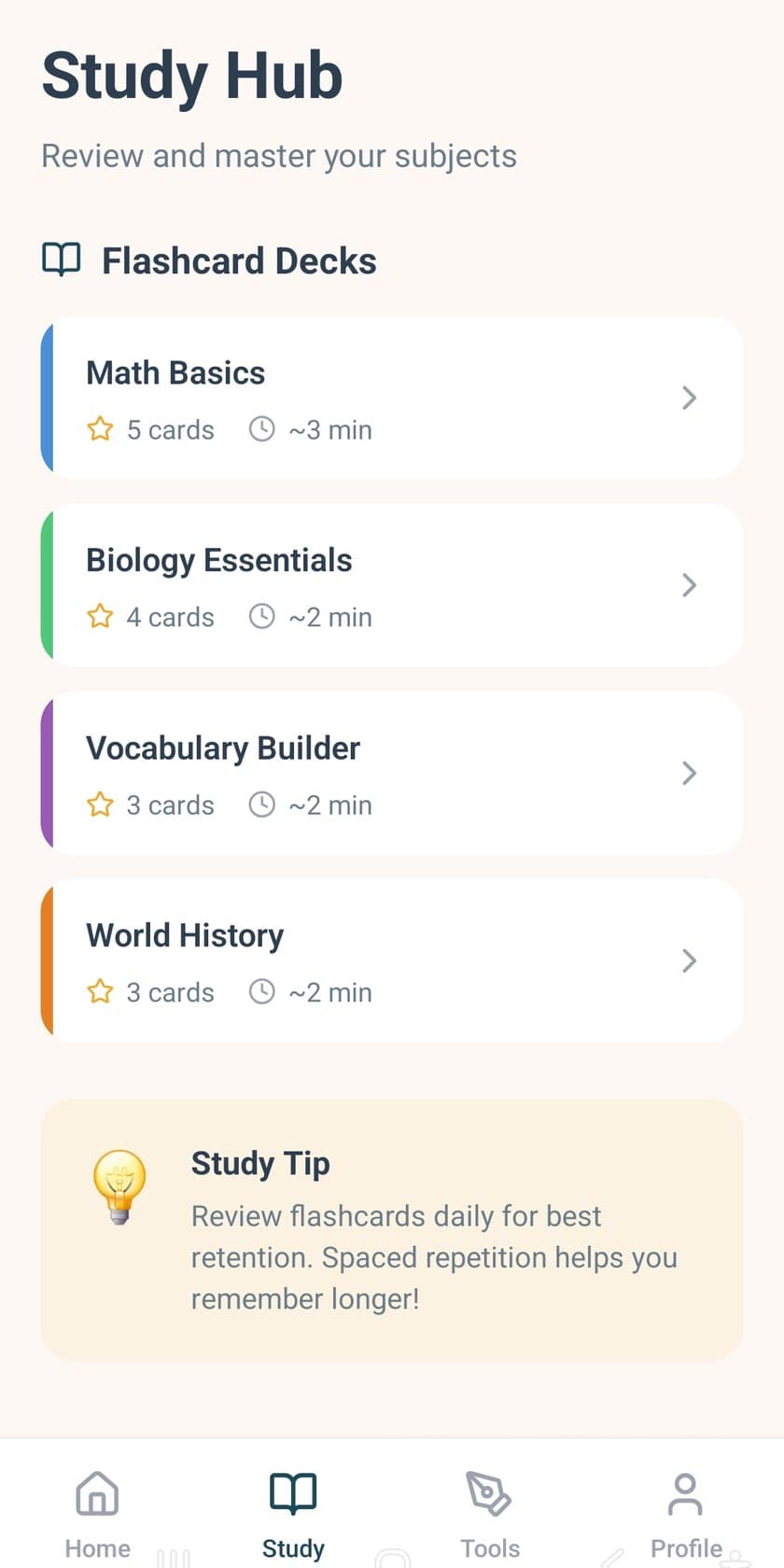
Study Hub
Review and master your subjects.
Flashcard decks on the Study Hub screen, with a note to review daily. Spaced repetition helps you remember longer.
- Math Basics5 cards · about 3 min
- Biology Essentials4 cards · about 2 min
- Vocabulary Builder3 cards · about 2 min
- World History3 cards · about 2 min
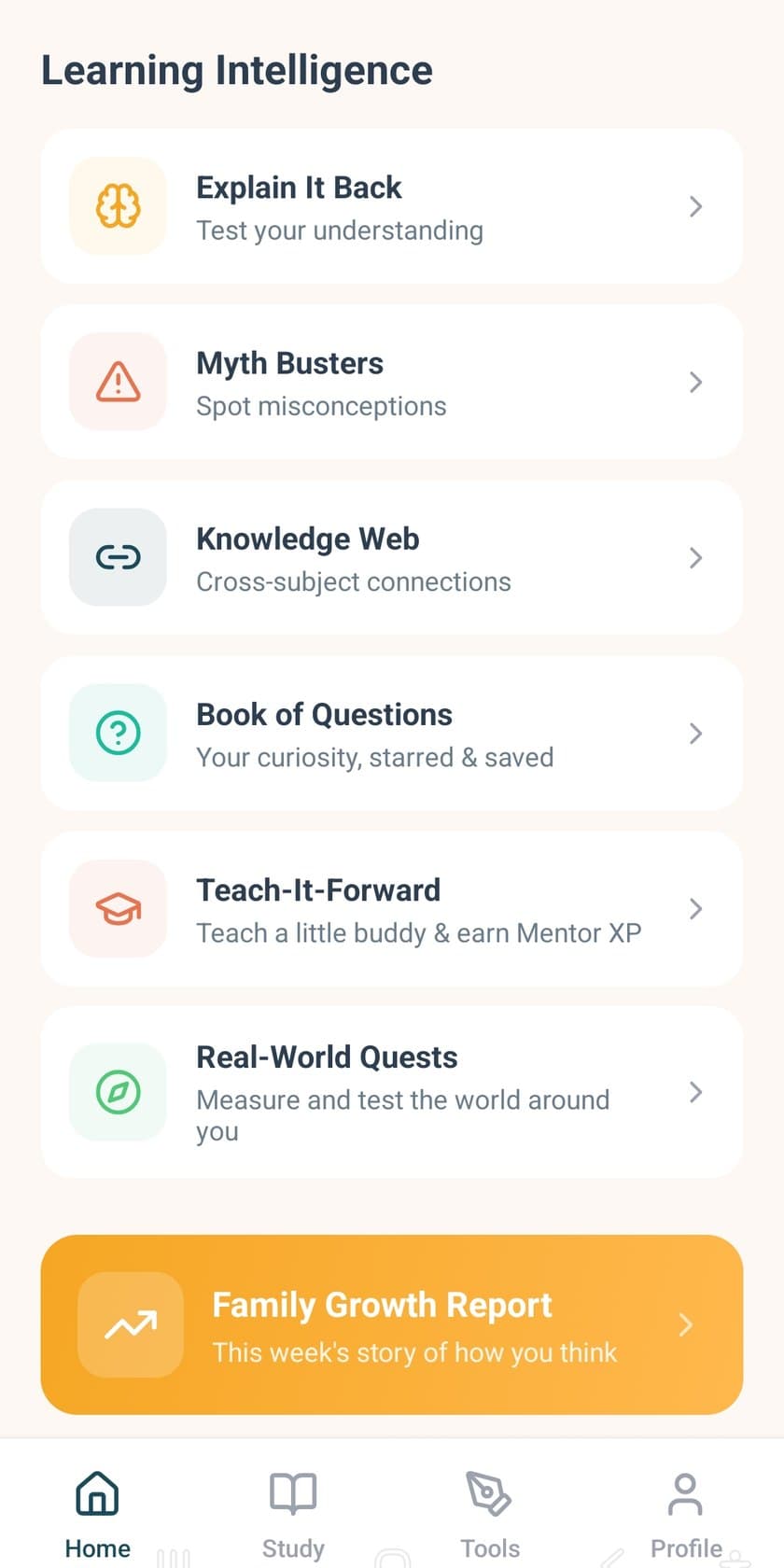
Learning Intelligence
Ways the app looks at how you learn.
Explain It Back
Test your understanding.
Myth Busters
Spot misconceptions.
Knowledge Web
Cross-subject connections.
Book of Questions
Your curiosity, starred and saved.
Teach-It-Forward
Teach a little buddy and earn Mentor XP.
Real-World Quests
Measure and test the world around you.
Family Growth Report
This week's story of how you think.
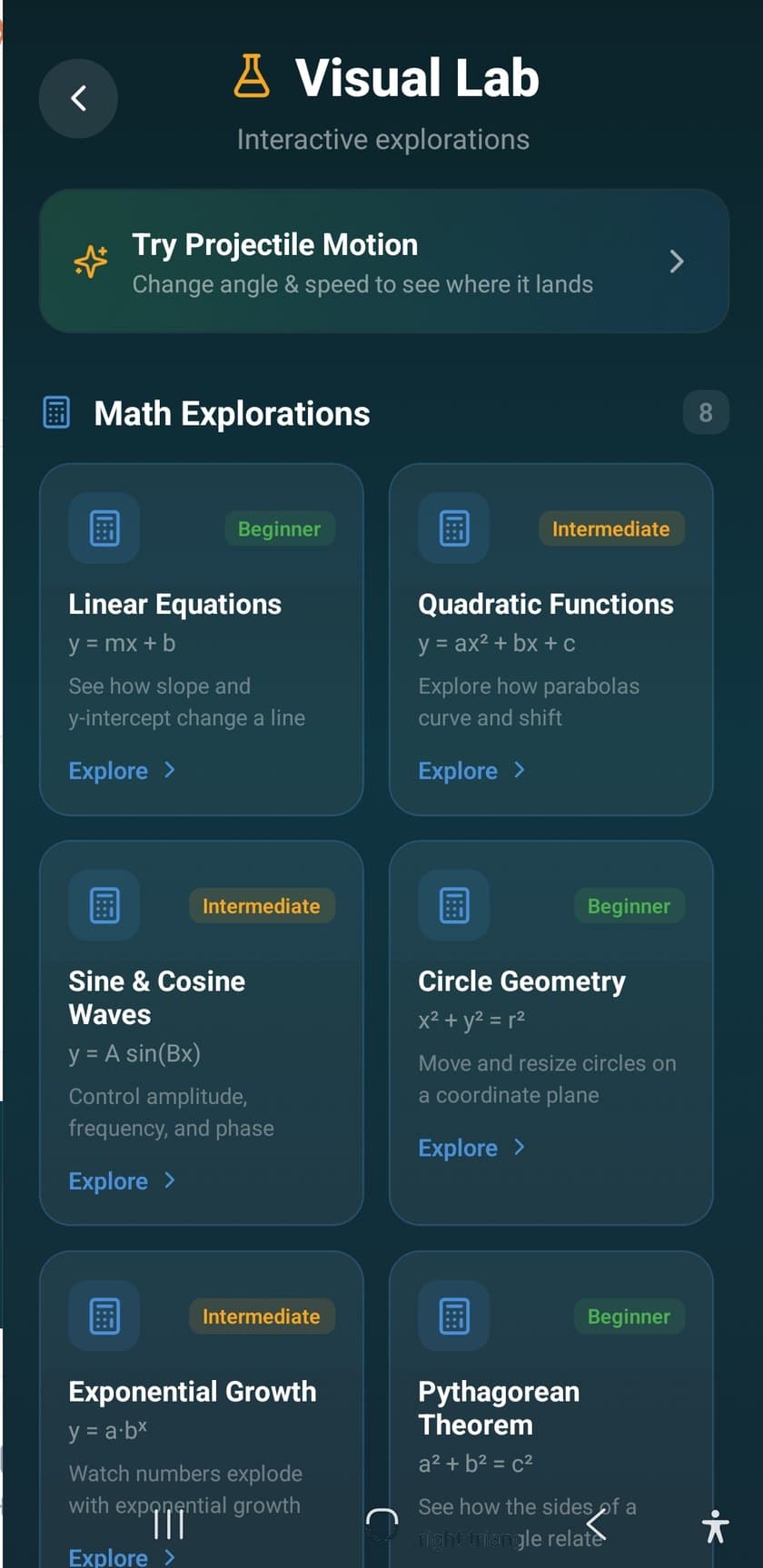
Visual Lab
Interactive explorations.
Projectile Motion
Change angle and speed to see where it lands.
Linear Equations
Beginner. y = mx + b. See how slope and y-intercept change a line.
Quadratic Functions
Intermediate. Explore how parabolas curve and shift.
Sine & Cosine
Intermediate. y = A sin(Bx). Control amplitude, frequency, and phase.
Circle Geometry
Beginner. x² + y² = r². Move and resize circles on a coordinate plane.
Exponential Growth
Intermediate. Watch numbers explode with exponential growth.
Pythagorean Theorem
Beginner. a² + b² = c². See how the sides of a right triangle relate.
Writing Assistant
Paste text. Improve the writing.
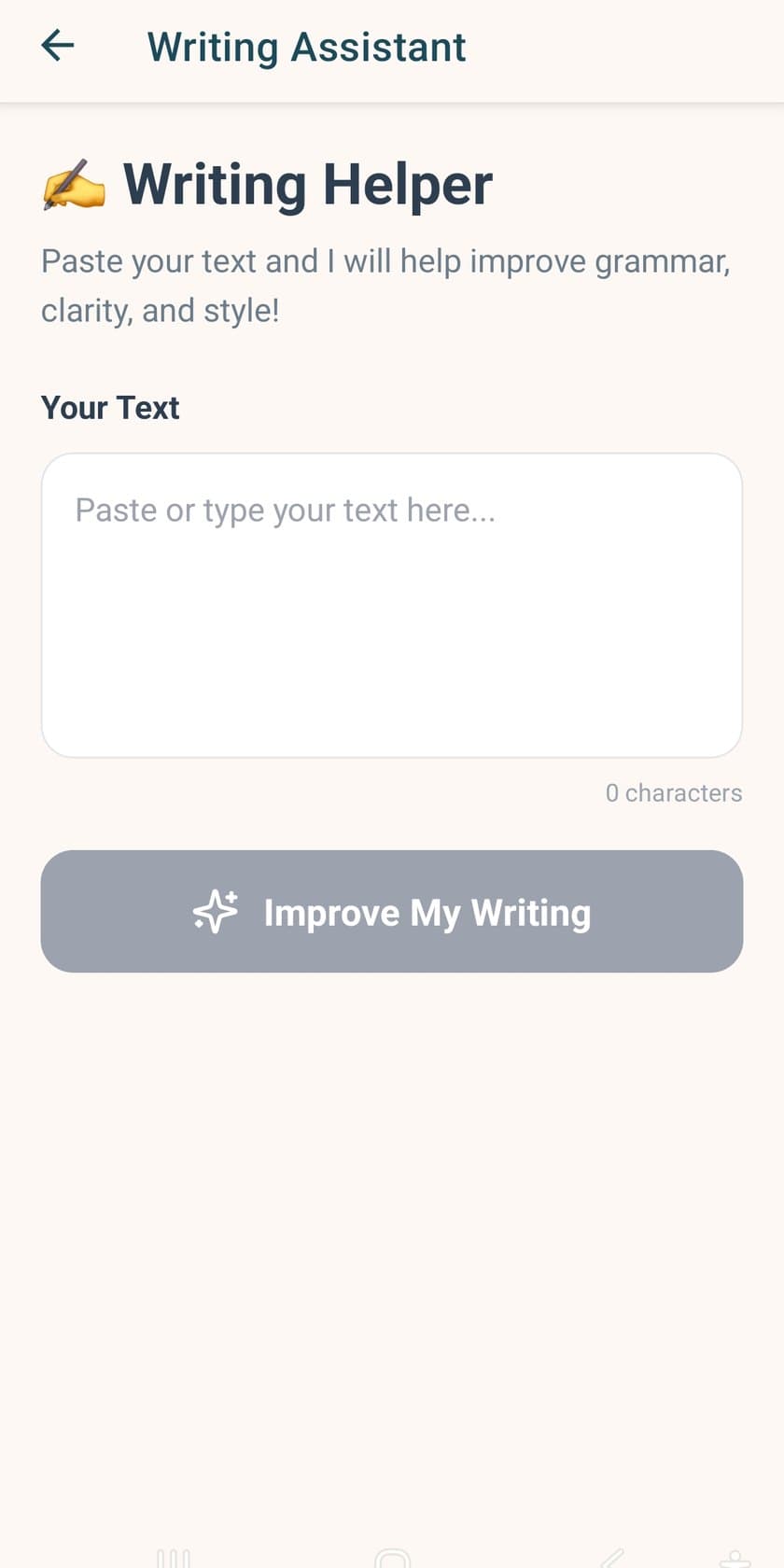
Writing Helper asks you to paste or type your text. It says it will help improve grammar, clarity, and style. The screen shows a text field and an Improve My Writing action.
Subjects
From mathematics to economics, and beyond.
The mission names mathematics, science, history, English, and economics. Here is where those subjects show up on the screens.
Mathematics
Math Basics flashcards, the Smart Calculator, and Visual Lab graphs for lines, curves, circles, and triangles.
Science
Biology Essentials flashcards, plus a projectile-motion exploration in Visual Lab.
History
A World History deck in Study Hub.
English
Writing Assistant, Vocabulary Builder flashcards, and Text Summarizer.
Economics
Included with mathematics, science, history, and English in the subjects learners can explore.
How it works
A loop you can repeat on the phone.
1
Ask
Open AI Tutor Chat for step-by-step help, or snap a photo of a problem in Problem Solver.
2
Practice
Review Study Hub decks. The screen notes daily review, and spaced repetition helps you remember longer.
3
Explore
In Visual Lab, change a graph or a projectile and watch where it goes.
4
Look back
Learning Intelligence includes Explain It Back and a Family Growth Report.
For parents
Progress you can read, and privacy pages you can open.
Family Growth Report sits on the Learning Intelligence screen: this week's story of how you think. Parents and guardians can read the children's privacy notice, and the general privacy page is still a draft for counsel.
On your phone
Take study help with you.
App Store and Google Play are not open yet. Both buttons say Coming soon. Questions go to Juan at support@fiveowls.app.